Attendance and payroll reviewer
Review the first week of device records after applying the schedule. Compare work, break and late minutes before approving payroll, and retain the internal approval and effective dates.
Set private-sector Ramadan hours from the competent authority’s annual announcement and confirm the 2027 schedule dates when issued. The example below illustrates an approved six-hour roster with non-working breaks kept separate.
Open temporary schedules in Settings. Enter the approved date range and a clear label, then choose all employees or a selected group according to the applicable rule.
Illustrative approved six-hour roster: 09:00–16:00 with a one-hour non-working break gives 7 − 1 = 6 actual hours; choose working dates from the approved roster.
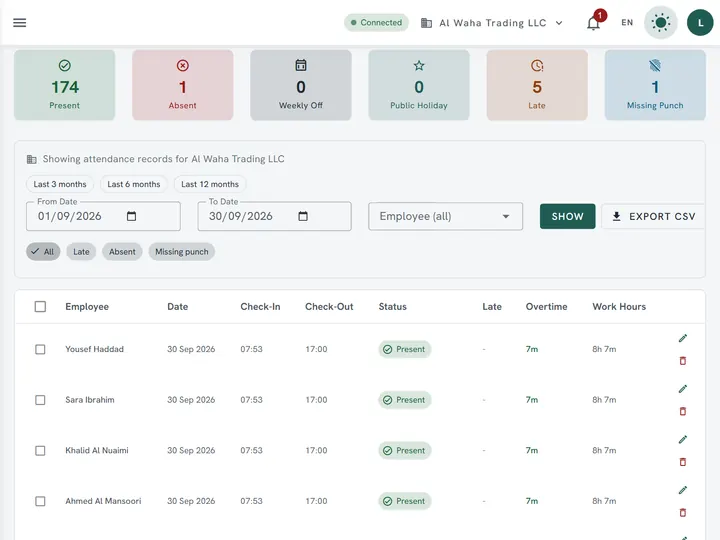
Import a test attendance file or review a record inside your company. Confirm that the work date selects the intended schedule, that non-working breaks are excluded, and that payable overtime is reviewed separately.
| Feature | Description |
|---|---|
| Rule and authority | Use the competent authority’s annual announcement to set Ramadan hours and their effective dates. |
| Worked shift example | Illustrative approved six-hour roster: 09:00–16:00 with a one-hour non-working break gives 7 − 1 = 6 actual hours; choose working dates from the approved roster. |
| Wage and overtime | For a hypothetical KWD 520 monthly employee, the normal Ramadan roster does not turn the monthly wage into KWD 390. If extra work is authorised, Article 66 sets a separate overtime premium of at least 25%; use the approved daily-wage basis and recorded hours rather than assuming every hour after six is automatically payable overtime. |
Review the first week of device records after applying the schedule. Compare work, break and late minutes before approving payroll, and retain the internal approval and effective dates.
Use the competent authority’s annual announcement, then set working hours, breaks and effective dates in the company roster.
Prepare the roster now, then confirm its date range against the official announcement. Select the affected employees and review a day before and a day after the change.
Figures on this page are calculated from the laws and published rates cited. Confirm current rules with the authority itself:
Upload an Excel or CSV export and review the result free — no signup required.
Analyze attendance free Create free account