Business owners in Kuwait moving off Excel
Track attendance, leave and a KWD salary ledger in one dashboard, instead of a spreadsheet that only one person understands.
Choosing HR and payroll software for a Kuwaiti company means a system that keeps KWD salaries at three decimal places, shows the PIFSS calculation fund by fund, records the 26-day or actual-working-day indemnity basis your company chose, and imports your attendance export without rework. Test those points with your own staff list. WatheeqaHR supports Kuwait companies in Kuwaiti dinars, with a published price and a 30-day free trial.
Set the company country to Kuwait and review employee salaries in KWD with three decimal places. Confirm the workweek and public holidays for the company.
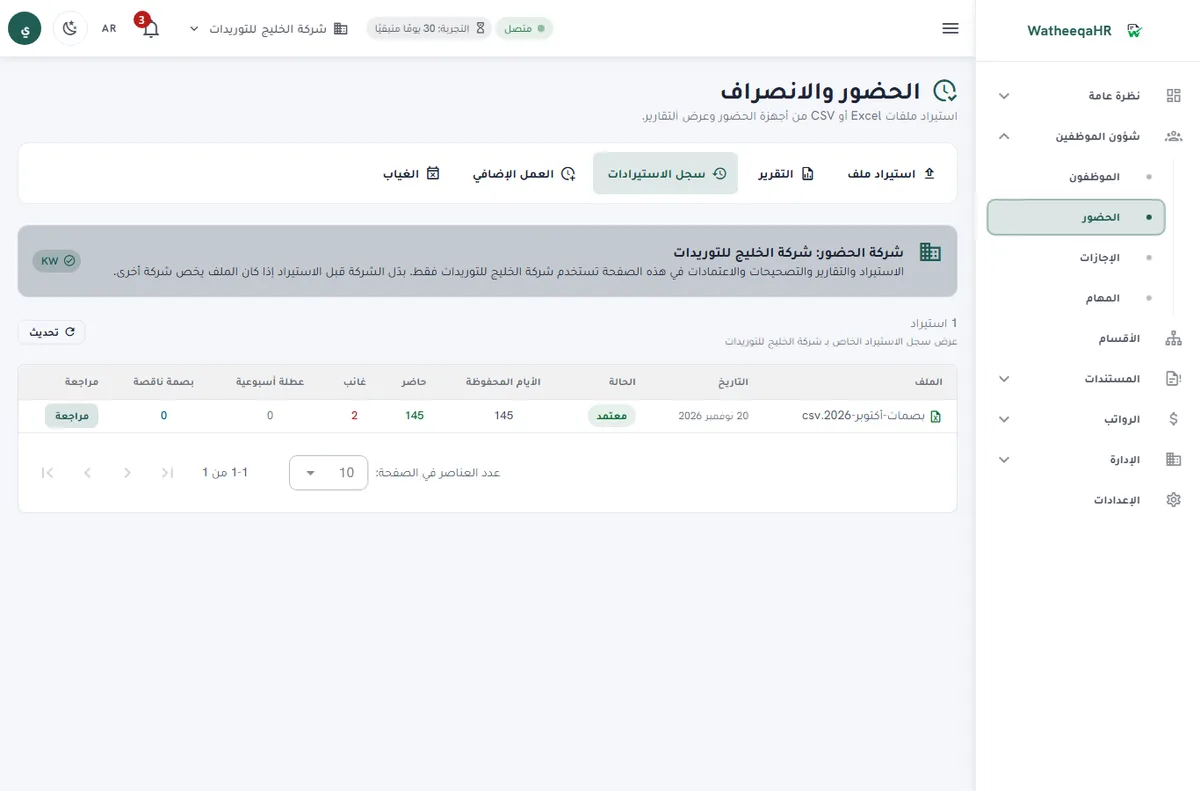
Import the original Excel or CSV export, link device identifiers to employees and review missing punches and leave before generating salary lines.
Review the monthly salary ledger and the modeled end-of-service and PIFSS calculations with your accountant. A Kuwait WPS bank file is not currently included.
Upload the employee list as Excel or CSV, then check the column matching and warnings before you save.
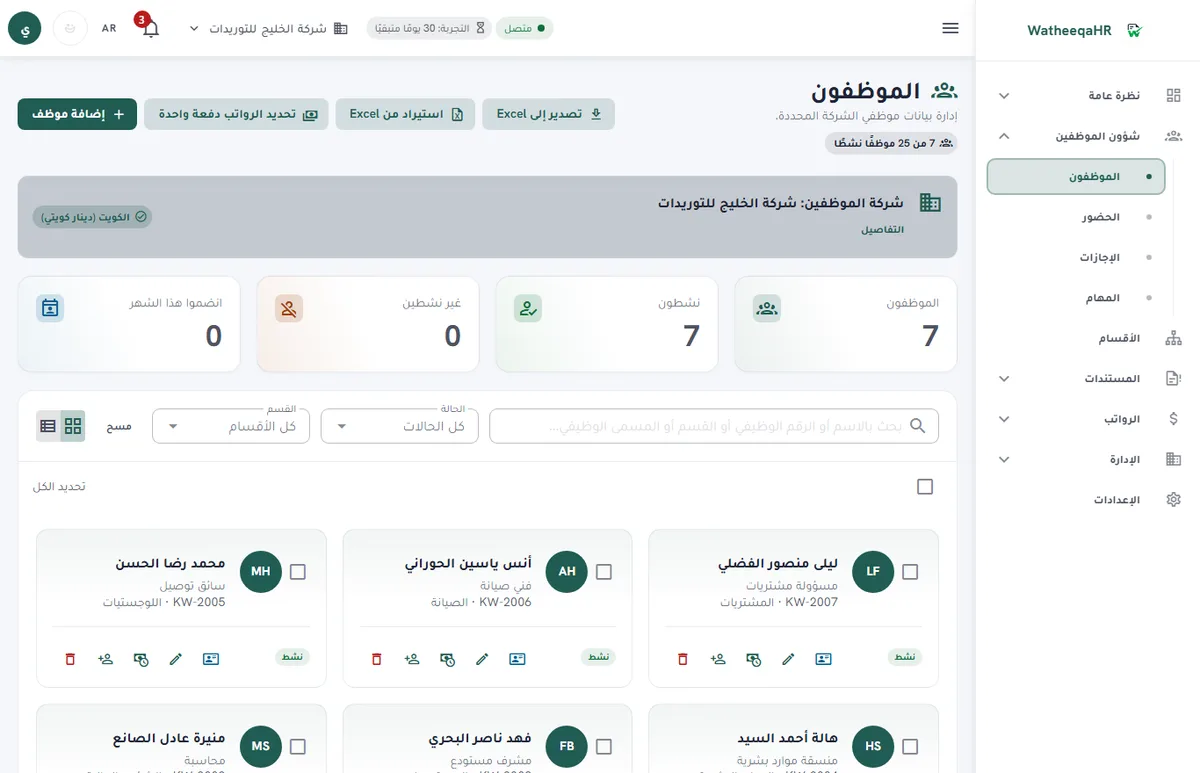
Check days present, late arrivals and absences for each employee, then approve the import before payroll lines are built.
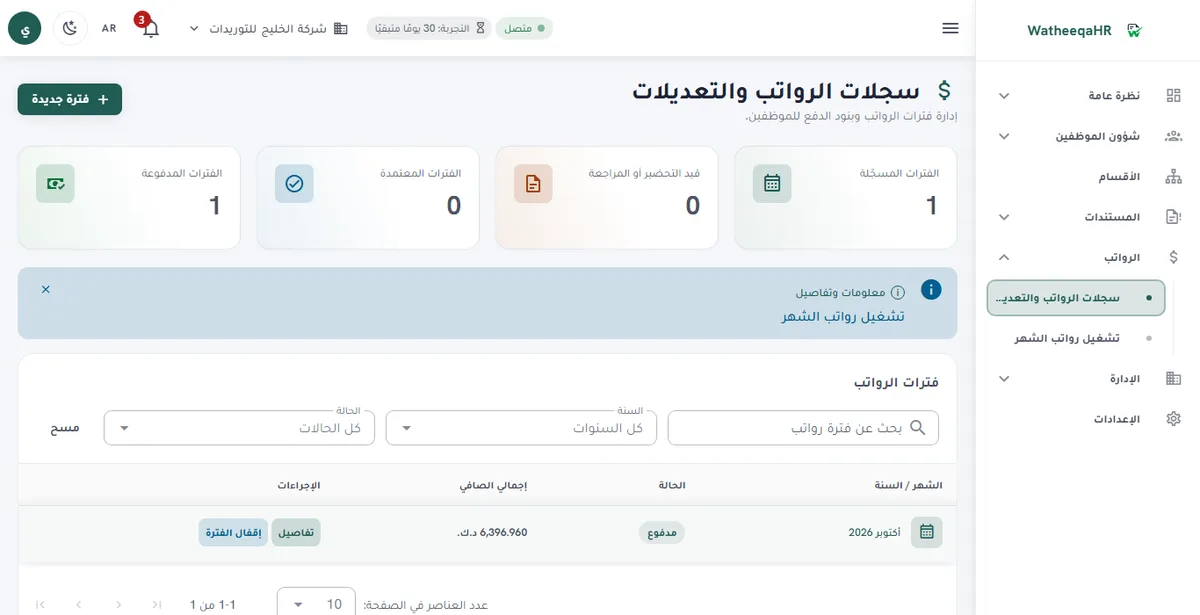
The system calculates basic pay, allowances, deductions and net pay for each employee. You can edit any line before approval.
Review the deduction and end-of-service rules for your country before approving, because they differ across GCC countries.
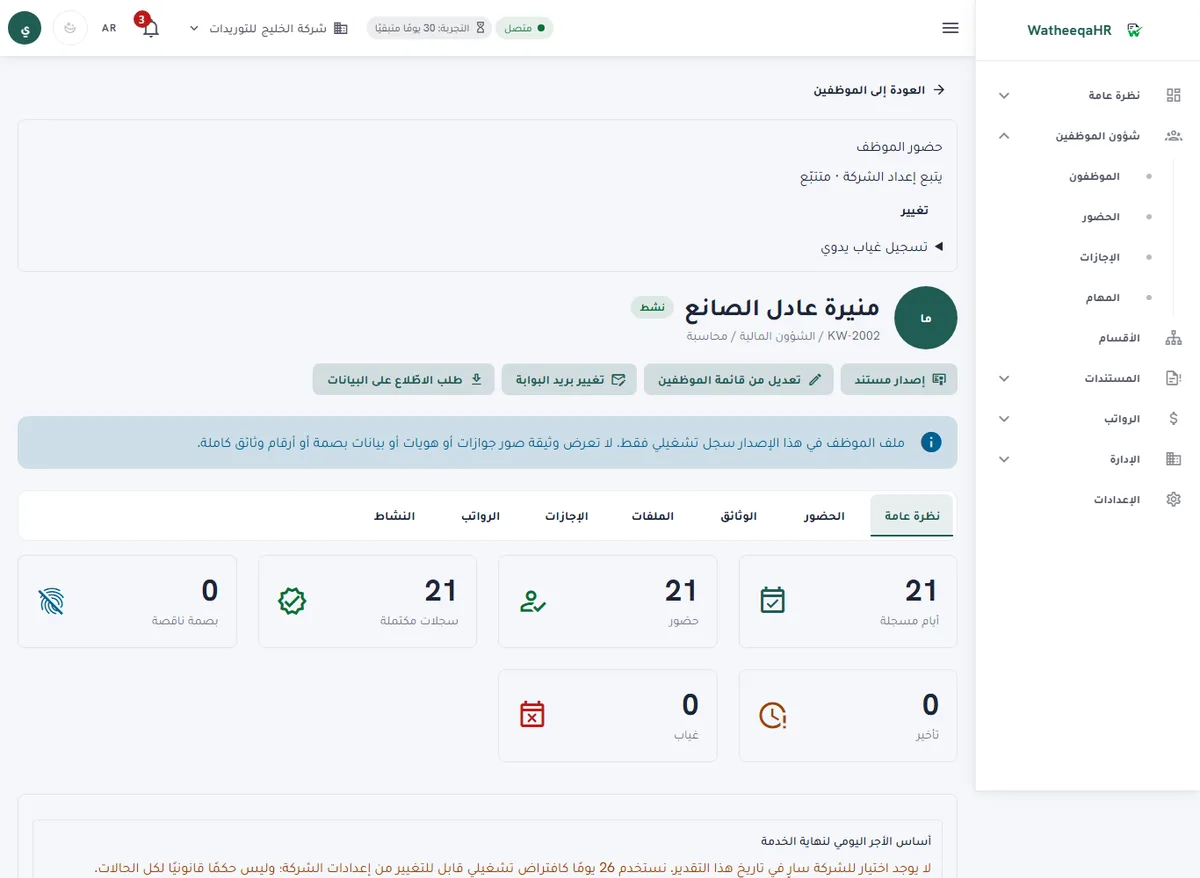
Each employee gets a payslip with attendance, earnings, deductions and net pay. Print it or save it as PDF.
Record each employee's payment. The period then shows as paid, and the payment log appears on the payslip.
| Feature | Description |
|---|---|
| Free setup: we set up your account and run your first payroll month with you | We do the setup ourselves: we build the account from your files and go through your first payroll run with you until it is paid. The setup is free. Start the free trial here. |
| Best fit for a Kuwaiti company | A system fits a Kuwaiti company when it keeps KWD salary lines with three decimals, applies the Kuwait end-of-service rules per company, shows PIFSS per fund and makes the reviewer's decision visible. Test these points with your own employees. |
| Decision checklist: indemnity basis | Ask how the monthly basis is set. WatheeqaHR uses a 26-day basis by default, and the company records whether it uses the 26-day or actual-working-day basis. Make sure your accountant agrees with that choice before the first calculation. |
| Decision checklist: PIFSS | Check that the system shows each fund separately: basic, supplementary, pension increase, financial remuneration and unemployment. Confirm the Kuwaiti-national rule, because the PIFSS calculation applies to Kuwaiti employees only. |
| Decision checklist: attendance | Test a real export from your device. Check missing punches, late arrivals and no-punch workdays. The same import used for UAE companies is available for Kuwaiti companies. |
| Cost breakdown | The subscription is AED 99 per month for Basic (up to 25 employees and one company) or AED 199 per month for Growth (up to 100 employees and three companies). Add setup time, the accountant's review hours and any manual bank-file work. |
| Affordable: what to compare | Compare the fixed monthly price with the hours your team spends on Excel salary sheets, attendance matching and PIFSS checks. The published price is the same for every company in the same plan, so the comparison is about your hours. |
| Easy: what to test first | Create a Kuwait company, add a few employees, import one attendance file, approve one leave request and one salary period. Then ask an employee to open a payslip in Arabic or English without help. |
| Automated: what the system prepares | Attendance exceptions, leave balances, KWD salary lines, the end-of-service estimate and the PIFSS estimate are prepared from the reviewed inputs. Approval, the final settlement and any submission stay with your company. |
| KWD salary ledger | Basic salary, allowances, overtime, deductions, advances and net salary tracked in Kuwaiti dinars, at the correct three-decimal precision. |
| End-of-service calculation | Calculated per Labour Law 6/2010, Articles 51 to 53. Review the employment contract and separation details before paying. |
| PIFSS contribution calculation | Basic (5% and 10% up to KWD 1,500), Supplementary (5% and 10% on the part above KWD 1,500, up to KWD 1,250 more), Pension Increase (2.5% and 1% up to KWD 2,750), Financial Remuneration (2.5% and 0% up to KWD 1,500) and Unemployment (0.5% and 0.5% up to KWD 2,750) funds, for Kuwaiti-national employees only. |
| Leave and self-service | Employees submit leave requests with balance tracking and an approval workflow configured per company. Employees see their own attendance, leave requests and payslips in Arabic or English. |
| Modules on every plan | Projects, company expenses, air tickets, the HR assistant, employee files and device sync are available on the 30-day trial, Basic and Growth. Everything pauses when the trial or subscription ends, and your data is kept. |
Track attendance, leave and a KWD salary ledger in one dashboard, instead of a spreadsheet that only one person understands.
Use the Law 6/2010 calculation and the basis your company recorded as the starting point, then review the contract and separation details before the final settlement.
Use the fund-by-fund calculation as a cross-check against what is actually remitted, not as the filing itself.
Yes. You can run the free attendance analyzer on an Excel or CSV file without creating an account. Then you can start the 30-day trial and try the employee import, payroll lines and payment steps yourself.
There is no single answer for every company. Choose the system that keeps KWD salaries at three decimals, shows PIFSS by fund, makes the indemnity basis a recorded choice and imports your attendance file. Test those points with real data before you buy.
Compare the total monthly cost: the subscription plus setup, review hours and manual work. WatheeqaHR publishes Basic at AED 99 per month for up to 25 employees and one company, and Growth at AED 199 per month for up to 100 employees and three companies.
Yes, per Labour Law 6/2010, Articles 51 to 53, using a 26-day monthly basis by default. Your company records its basis choice, and the reviewer confirms the figure against the contract before paying.
By fund: basic, supplementary, pension increase, financial remuneration and unemployment, each with its own rate and ceiling, for Kuwaiti-national employees only. Use the result to check against PIFSS payments, not as the submission.
Yes. The free attendance analyzer at /tools/attendance-analyzer reads an Excel or CSV export without an account. The free Kuwait end-of-service calculator is at /tools/kuwait-gratuity-calculator.
No. A Kuwait WPS bank file is not currently included, so your company uses the Excel or CSV export for its bank process.
Yes. The 30-day free trial includes every module, so you can test the attendance import, a KWD salary period, PIFSS review and payslips with your own records.
Figures on this page are calculated from the laws and published rates cited. Confirm current rules with the authority itself:
Upload an Excel or CSV export and review the result free — no signup required.
Analyze attendance free Create free account