Owners expanding into a second GCC country
Add each company under its own country and currency, then review that country's leave and end-of-service settings before the first payroll. Keep the two companies' attendance and salary periods separate.
Choosing HR and payroll software for a GCC company means picking the one that matches your country rules, your attendance export and the bank file your bank accepts, not the one with the longest feature list. Test each system with a real export and one salary period before you buy. WatheeqaHR supports six GCC countries with company-level currency and rules, and its Basic and Growth prices are published and fixed.
List each country where you employ staff, the currency, the end-of-service basis in your contracts and any bank file your bank requires. A system that cannot match these rules will create manual work every month.
Use the free attendance analyzer with a copy of last month's Excel, CSV or TXT export before you create an account. Note how the tool reports missing punches, late arrivals and estimated absence, and whether you can explain each result.
During the 30-day trial, create one company, enter a few employees, approve one salary period and compare the payslips with your current spreadsheet. Differences tell you where review time will go.
Write down which file leaves the system, who submits it to the bank or authority and which step remains manual in your company. Do not assume a payroll system submits anything on your behalf.
Add the subscription price to the review hours you still spend. Compare that total with your current cost of spreadsheets, late corrections and missed punches, not with the subscription price alone.
Upload the employee list as Excel or CSV, then check the column matching and warnings before you save.
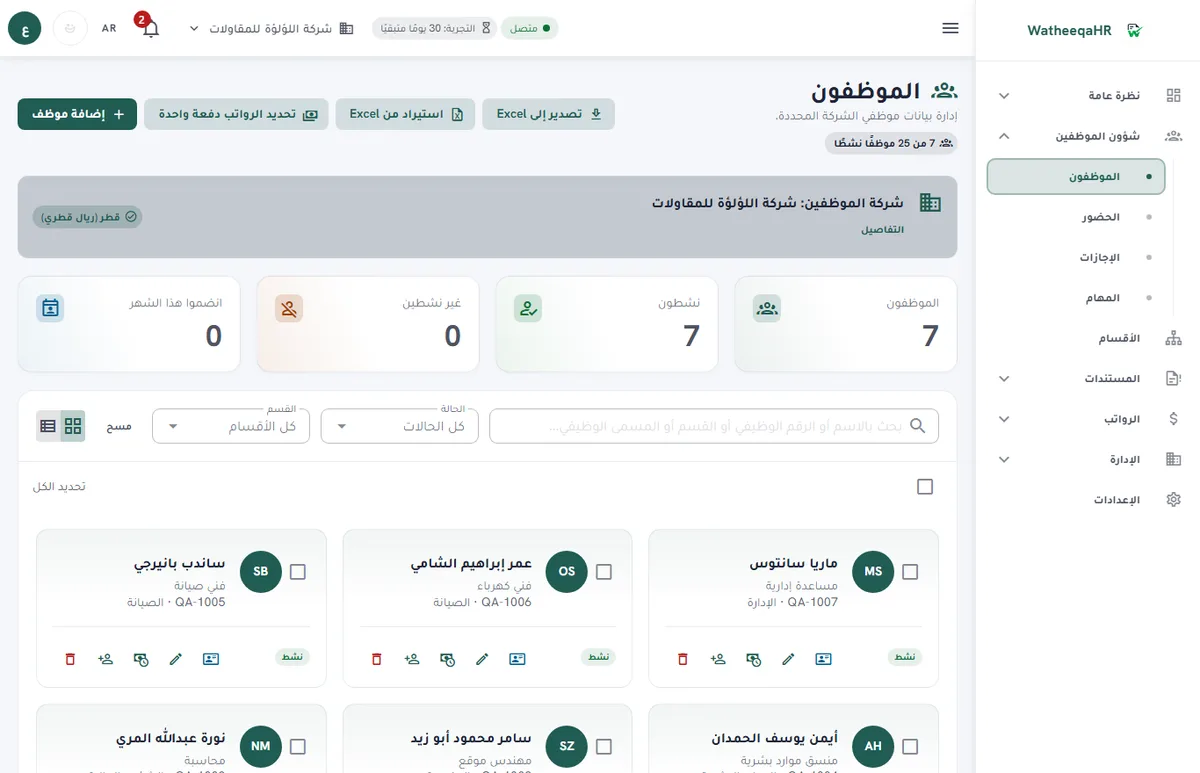
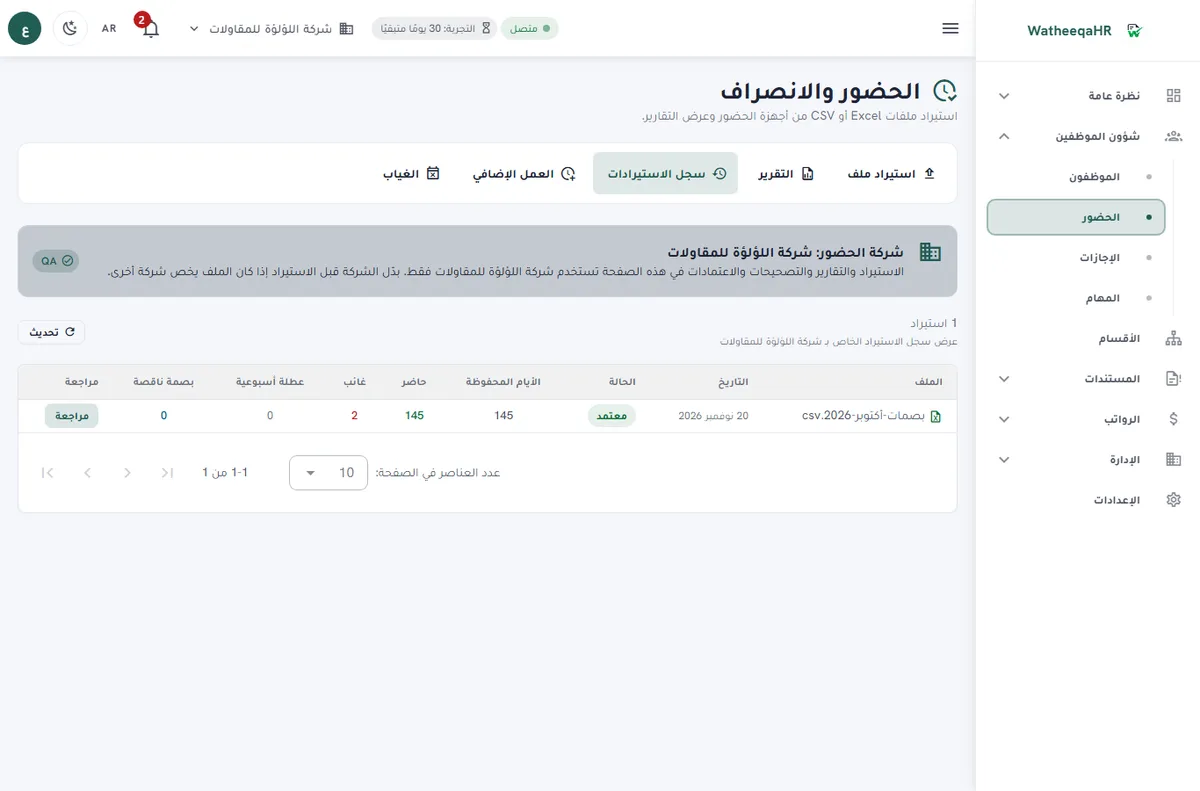
Check days present, late arrivals and absences for each employee, then approve the import before payroll lines are built.
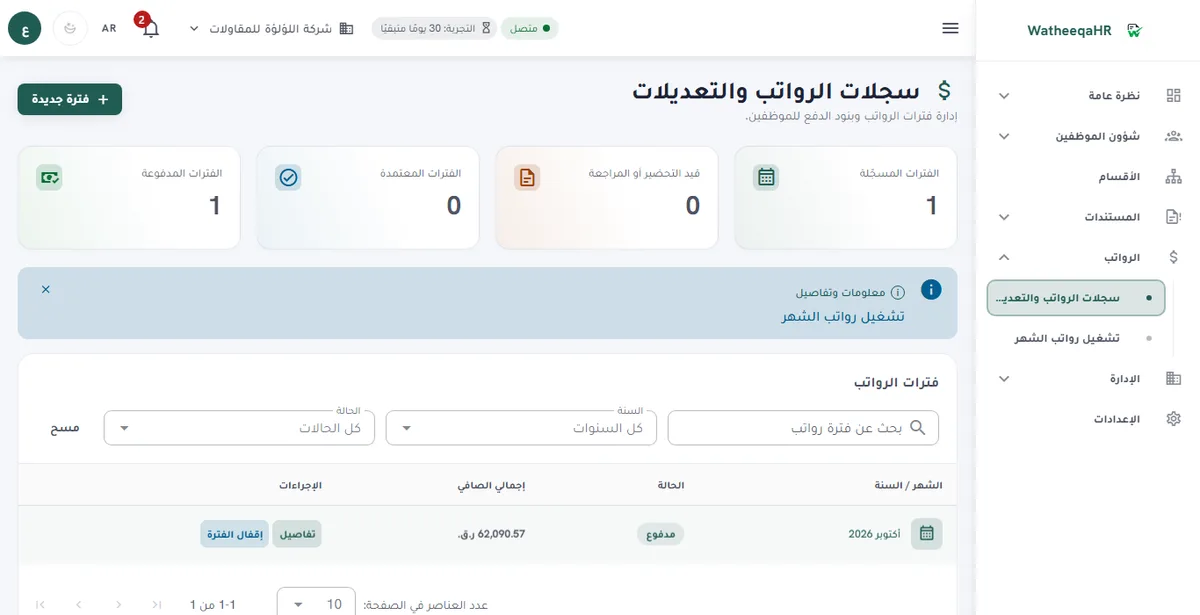
The system calculates basic pay, allowances, deductions and net pay for each employee. You can edit any line before approval.
GOSI shares for Saudi employees are calculated in one window, and items that need approval are shown before salaries are paid.
Each employee gets a payslip with attendance, earnings, deductions and net pay. Print it or save it as PDF.
Record each employee's payment. The period then shows as paid, and the payment log appears on the payslip.
| Feature | Description |
|---|---|
| Free setup: we set up your account and run your first payroll month with you | We do the setup ourselves: we build the account from your files and go through your first payroll run with you until it is paid. The setup is free. Start the free trial here. |
| Decision checklist: country rules | Confirm that each company's country sets its currency, decimal places, leave defaults and end-of-service formula. Ask which law article each formula follows and compare it with your employment contracts before you rely on it. |
| Decision checklist: attendance import | Test your real device export before buying. Check how the system handles missing punches, night shifts, late arrivals and no-punch workdays. A tool that hides exceptions makes payroll harder to review, not easier. |
| Decision checklist: salary review | Look for a reviewed salary ledger with basic salary, allowances, overtime, deductions, advances, net pay and payslips in the company's own currency, with an approval step before payment. |
| Decision checklist: bank and authority files | Ask exactly which file is generated, for which country and which step is still manual. WatheeqaHR generates the UAE WPS SIF file. The Saudi ANB-format file is prepared through a review workflow. Qatar, Kuwait, Bahrain and Oman have no bank-file export yet. |
| Cost breakdown | The monthly subscription is one line. The full cost also includes setup time, the hours your accountant spends reviewing, any device hardware you still need and the time your team spends correcting spreadsheets. Price is in AED for every company on the published plans. |
| Data access and roles | Check who can see salaries before you add staff. Owner, Admin, HR, Accountant, Viewer and Employee roles limit what each person sees. Employees see only their own attendance, leave requests and payslips. |
| Arabic and English | Both the interface and the employee self-service portal work in Arabic and English, so HR staff and employees can use the same records in the language they prefer. |
| Modules on every plan | Projects, company expenses, air tickets, the HR assistant, employee files and device sync are available on the 30-day trial, Basic and Growth. Everything pauses when the trial or subscription ends, and your data is kept. |
| Sign-in and access | Google sign-in is available. The free attendance analyzer and the end-of-service calculators for the UAE, Saudi Arabia and Kuwait do not need an account. |
Add each company under its own country and currency, then review that country's leave and end-of-service settings before the first payroll. Keep the two companies' attendance and salary periods separate.
Keep attendance, leave, documents and salary periods in one place, and clear attendance exceptions before salary is approved. Use the document expiry alerts to plan renewals.
Review each salary period, the approval record and the payslips, then hand the approved records to your payroll provider or bank through the file your bank accepts.
Yes. You can run the free attendance analyzer on an Excel or CSV file without creating an account. Then you can start the 30-day trial and try the employee import, payroll lines and payment steps yourself.
Start with your country rules: currency and decimal places, end-of-service formula, leave rules, statutory contributions and the bank file your bank accepts. Then test a real attendance export and one salary period before you decide.
Not in a way that can be proven for every company. The right system depends on your countries, headcount, attendance device, bank and how much review your team needs. Use the checklist above and test with your own data.
Basic is AED 99 per month for up to 25 employees and one company. Growth is AED 199 per month for up to 100 employees and three companies. The prices are published on the pricing page, fixed and shown in AED, with a 30-day free trial.
The UAE, Saudi Arabia, Kuwait, Bahrain, Qatar and Oman. Each company has its own country, currency and payroll settings, so one account can hold more than one country.
No. It generates the UAE WPS SIF file, and the Saudi ANB-format file is prepared through a review workflow. Qatar, Kuwait, Bahrain and Oman have no bank-file export yet, so use the Excel or CSV export for those companies.
No. They are calculations to review against the employment contract and the separation details. Labour Law and GOSI rules can change, so confirm the figures with your accountant or the official authority before paying.
Yes. Employees see their own attendance, leave requests and payslips in the self-service portal, and request a salary certificate, experience letter or NOC there, in Arabic or English.
Figures on this page are calculated from the laws and published rates cited. Confirm current rules with the authority itself:
Upload an Excel or CSV export and review the result free — no signup required.
Analyze attendance free Create free account