Office managers who also run HR
Use the leave, attendance and payslip screens without training every week. Keep one checklist of the monthly steps so a missed step does not become a missed salary.
Simple HR and payroll software is software your own team can set up, use and check without a consultant for every step. Judge it by a short test: add a company, import one attendance file, approve one leave request and one salary period, then open a payslip as an employee. WatheeqaHR is built around that flow, with Arabic and English screens, and its 30-day trial includes every module so you can run the test before you pay.
Choose the country, currency and work calendar, then add a few employees. Note every field that asks for a decision you do not know the answer to. Those are the questions to take to your accountant before you go live.
Use an Excel, CSV or TXT export from your device without editing it. A simple system explains missing punches and late arrivals in plain words, and shows which employee and day each exception belongs to.
Have an employee submit a leave request in the self-service portal, then approve it as HR. Count the clicks and check that the balance updates. If the flow confuses your approver, it will confuse your team every month.
Create a salary period, review the ledger with allowances, deductions and advances, and approve it. Check that the payslip opens for the employee in Arabic or English without help from the vendor.
Give a colleague who did not set up the system one task, such as adding a document with an expiry date. If they finish it from the screen labels alone, the system is simple enough for your team.
Upload the employee list as Excel or CSV, then check the column matching and warnings before you save.
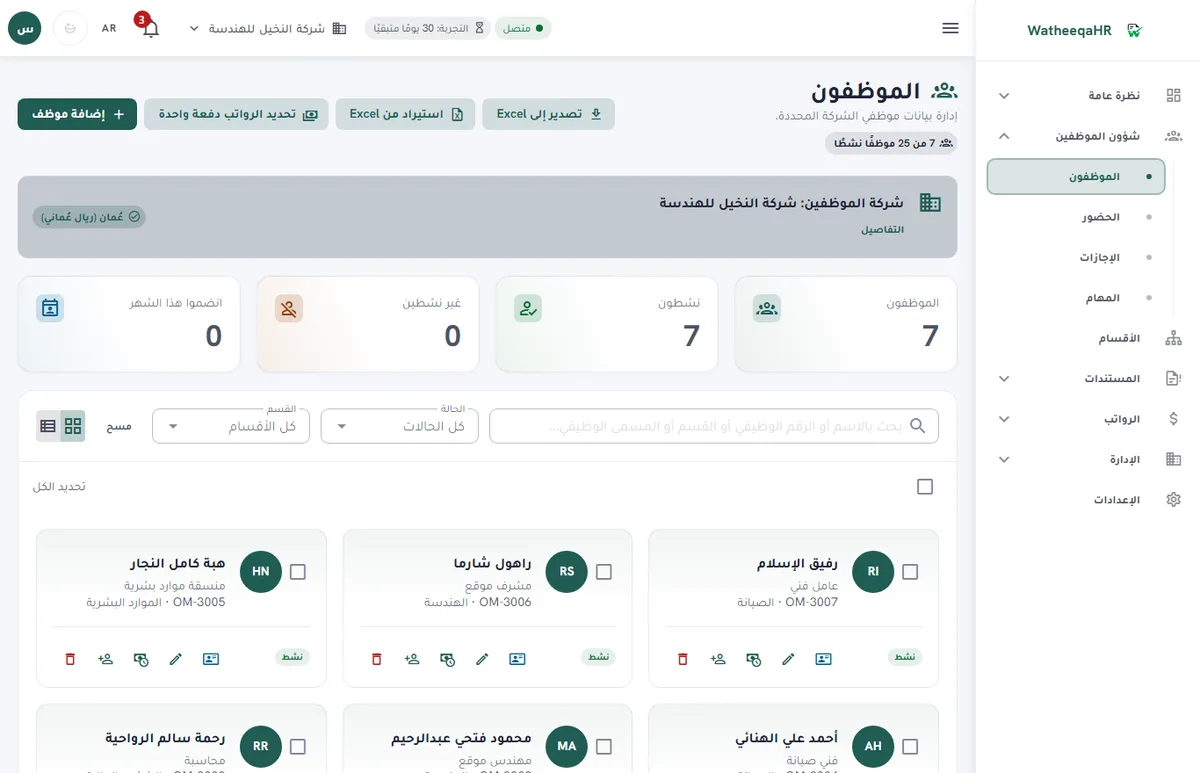
Check days present, late arrivals and absences for each employee, then approve the import before payroll lines are built.
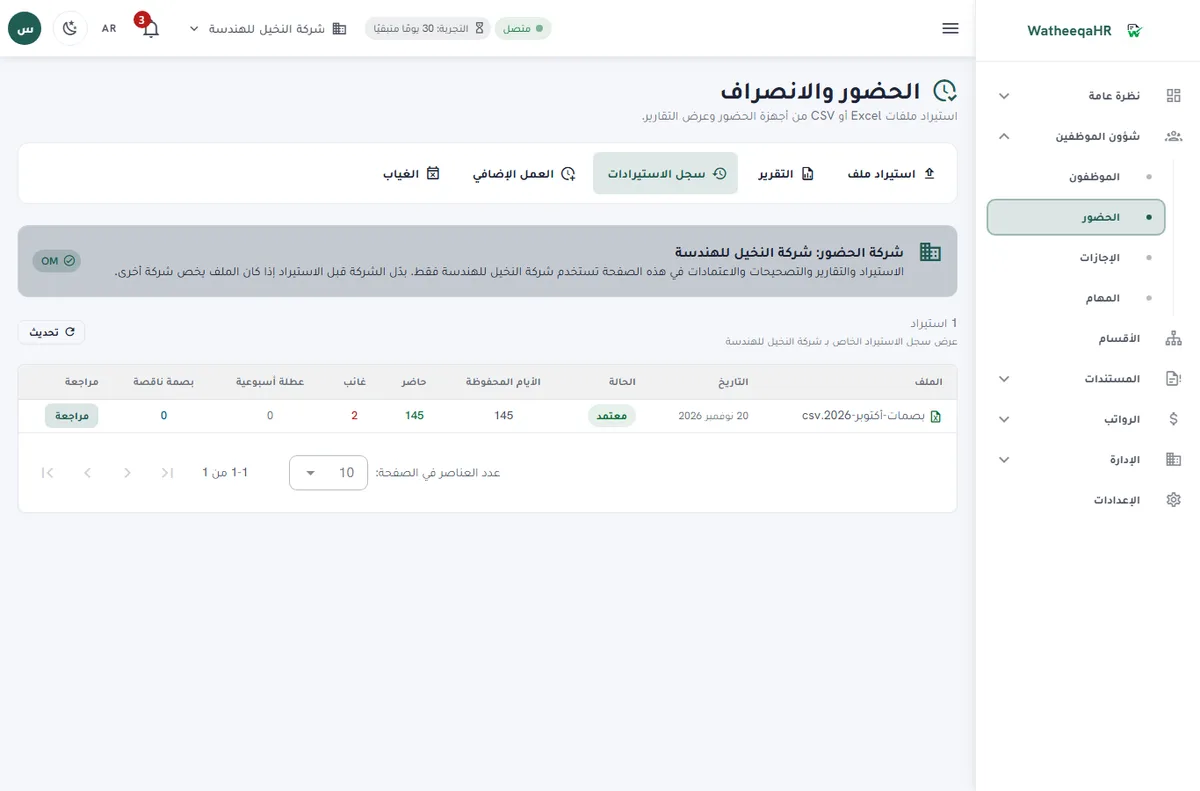
The system calculates basic pay, allowances, deductions and net pay for each employee. You can edit any line before approval.
GOSI shares for Saudi employees are calculated in one window, and items that need approval are shown before salaries are paid.
Each employee gets a payslip with attendance, earnings, deductions and net pay. Print it or save it as PDF.
Record each employee's payment. The period then shows as paid, and the payment log appears on the payslip.
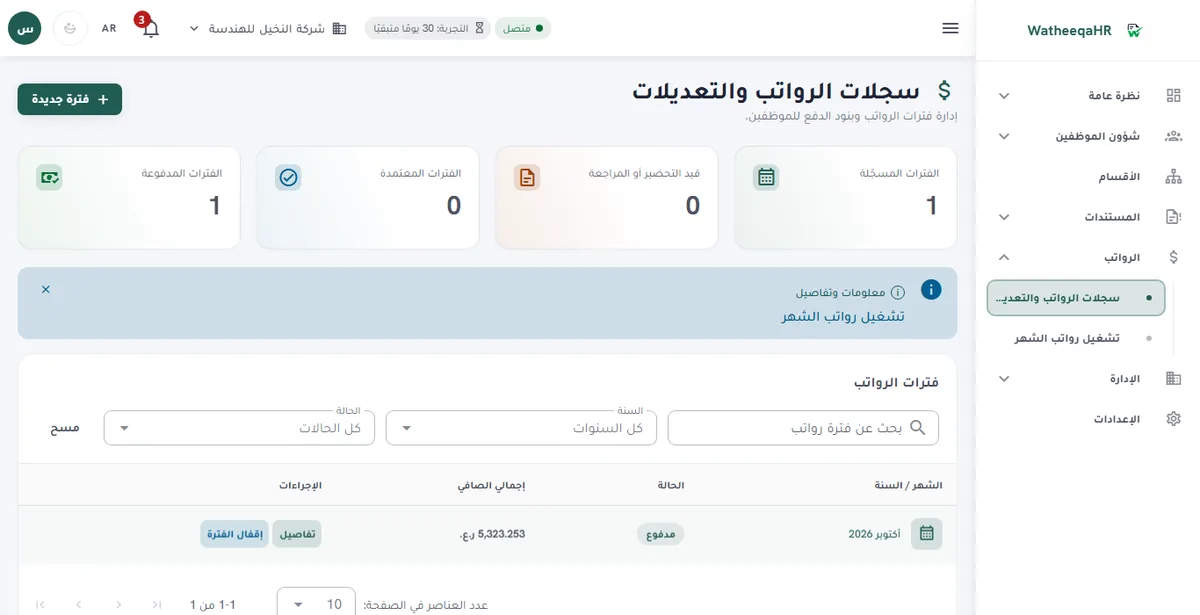
In the documented trial journey, going from account creation to recording a payment took about ten main screens.
| Feature | Description |
|---|---|
| Free setup: we set up your account and run your first payroll month with you | We do the setup ourselves: we build the account from your files and go through your first payroll run with you until it is paid. The setup is free. Start the free trial here. |
| Simple test: setup from the screen | Check whether a company can be created from the screens alone, with a country, currency and work calendar chosen in one place. Note which settings need an accountant and which your team can set. |
| Simple test: Arabic and English | Both the interface and the employee self-service portal work in Arabic and English. Test one screen in each language, including a long employee name, and check the layout reads correctly in both. |
| Simple test: attendance exceptions | A simple attendance review lists exceptions by employee and day: missing punches, late arrivals, no-punch workdays and estimated absence. Each row should say why it is flagged, so your team does not guess. |
| Simple test: leave requests | Employees request leave themselves, balances update after approval, and HR sees the approval history. Test a request, an approval and a rejection before you decide. |
| Simple test: payslips and self-service | Employees see their own attendance, leave requests and payslips. Ask an employee to find their last payslip without help. If they cannot, your HR team will answer the same questions every month. |
| Simple test: roles | Owner, Admin, HR, Accountant, Viewer and Employee roles limit what each person sees. Check that a viewer cannot change a salary and that an employee sees only their own records. |
| Simple test: free tools first | The free attendance analyzer reads an Excel, CSV or TXT export without an account, so you can see the result before setup. The UAE, Saudi Arabia and Kuwait end-of-service calculators give estimates without signup. |
| Modules you can ignore | Projects, company expenses, air tickets, the HR assistant, employee files and device sync are available on the 30-day trial, Basic and Growth. Turn on only what your company uses, and keep the rest off the screen. |
| What a simple system still asks of you | Simple does not mean automatic approval. Review salaries, end-of-service results and bank files yourself, and keep the contract and separation details in front of you before you approve payment. |
Use the leave, attendance and payslip screens without training every week. Keep one checklist of the monthly steps so a missed step does not become a missed salary.
Start with one company, a few employees and one salary period in the trial. Add the next company only after the first month runs cleanly.
Employees open the portal for attendance, leave and payslips in their language, without asking HR for a copy each time.
Yes. You can run the free attendance analyzer on an Excel or CSV file without creating an account. Then you can start the 30-day trial and try the employee import, payroll lines and payment steps yourself.
Run a short test with your own data: set up one company, import one attendance file, approve one leave request and one salary period, then ask an employee to open a payslip. If your team finishes these without the vendor, the software is simple for you.
Yes. The interface and the employee self-service portal work in Arabic and English, so HR staff and employees can each use the language they prefer.
Yes. The 30-day free trial includes every module, so you can test the attendance import, leave approval, salary period and payslips with your own records.
Your team can set up and use the day-to-day screens. An accountant should still review end-of-service figures, contribution calculations, final settlements and the bank or authority submission.
Yes. The free attendance analyzer at /tools/attendance-analyzer reads an Excel, CSV or TXT export and shows the exceptions before you sign up.
Basic is AED 99 per month for up to 25 employees and one company. Growth is AED 199 per month for up to 100 employees and three companies. Every module is available on the trial, Basic and Growth.
The app includes guided steps and help articles, including how to import an attendance file and how to run a monthly payroll. Use the test plan above to find the step that slows you down.
Figures on this page are calculated from the laws and published rates cited. Confirm current rules with the authority itself:
Upload an Excel or CSV export and review the result free — no signup required.
Analyze attendance free Create free account