Saudi business owners leaving Excel
Track attendance, leave and a SAR salary ledger in one place, and review the GOSI and end-of-service estimates before each payroll period.
Choosing HR and payroll software for a Saudi company means picking the one that handles your SAR salary records, GOSI contribution review, end-of-service calculation and attendance file without manual rework. Check how each system prefills and reviews GOSI shares before payment, and how it handles your device export. WatheeqaHR keeps SAR records, prefills each Saudi employee's GOSI share at the published rates for review, and includes a 30-day free trial.
Choose Saudi Arabia as the company country so amounts are in SAR and the Saudi leave and end-of-service rules apply. Confirm the work calendar and public holidays before you import attendance.
Record whether each employee is Saudi or GCC national, or another nationality. The GOSI calculation differs, so a wrong category produces a wrong share. Confirm the basic and housing amounts from the contract.
Upload the device export as Excel or CSV exactly as the device creates it. Review missing punches and late arrivals, and keep the no-punch days for HR to decide.
The employee GOSI share is prefilled at the published rates. Compare it with your last GOSI statement and your accountant's figure, then approve the salary period only when they agree or the difference is explained.
Prepare the ANB-format file through the review workflow, then check it with your bank. Review each end-of-service estimate against the contract before the final settlement.
Upload the employee list as Excel or CSV, then check the column matching and warnings before you save.
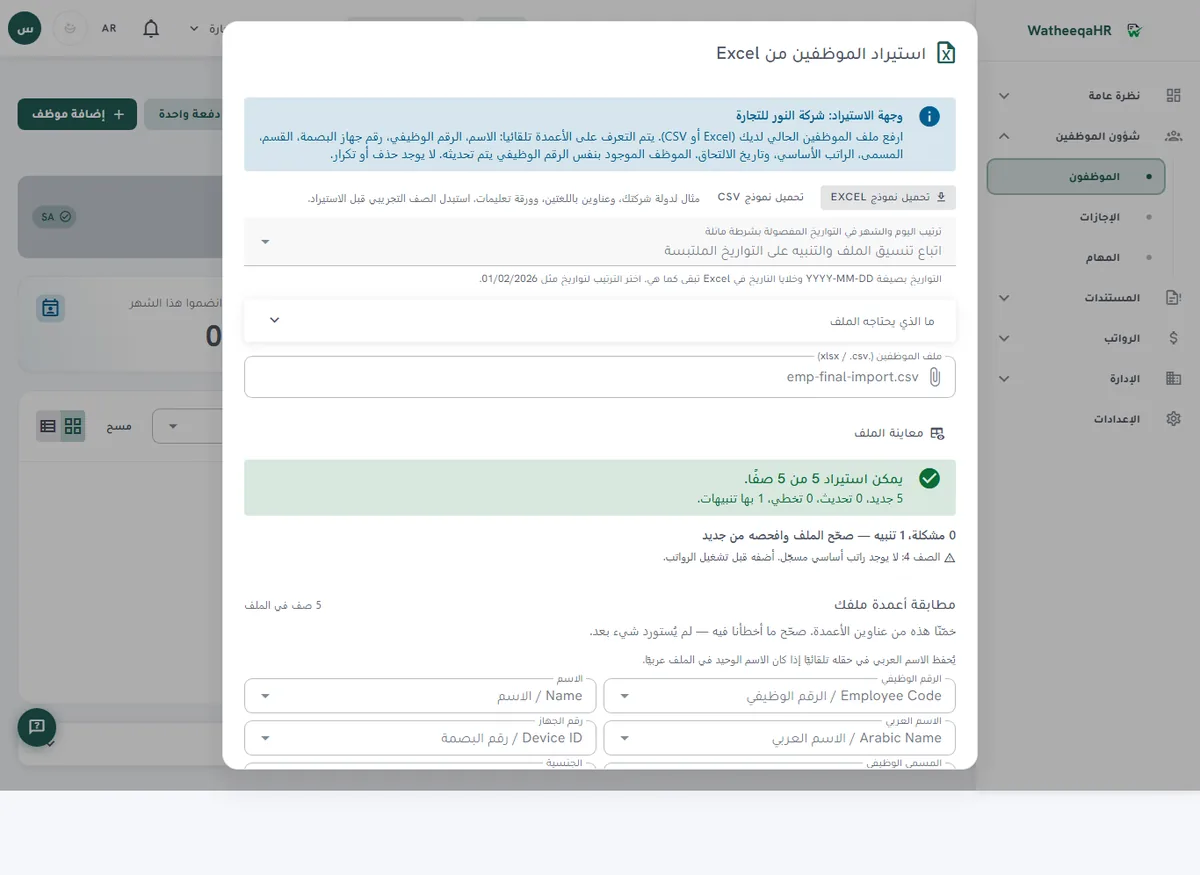
Check days present, late arrivals and absences for each employee, then approve the import before payroll lines are built.
The system calculates basic pay, allowances, deductions and net pay for each employee. You can edit any line before approval.
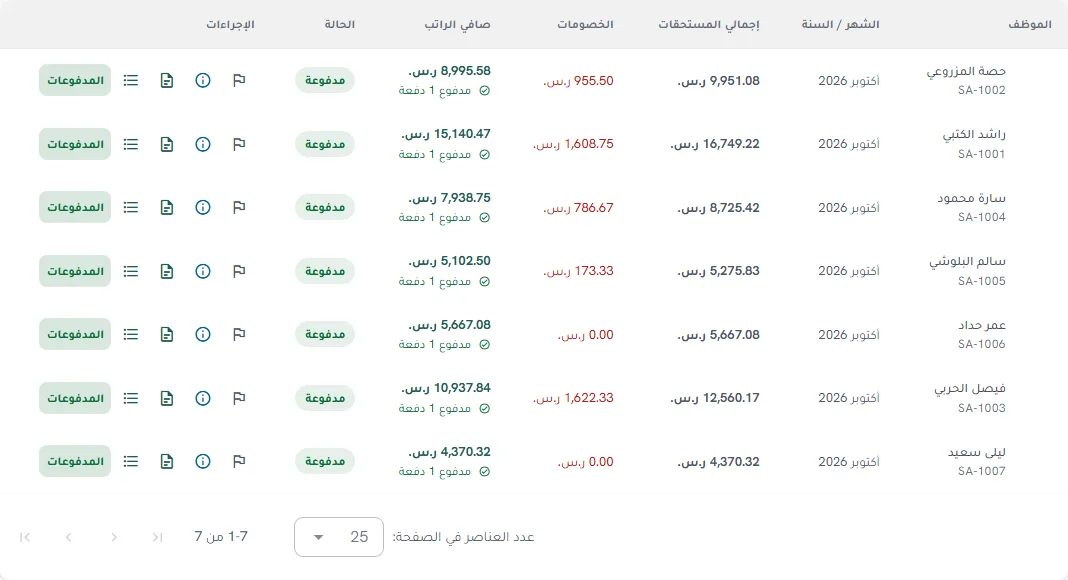
GOSI shares for Saudi employees are calculated in one window, and items that need approval are shown before salaries are paid.
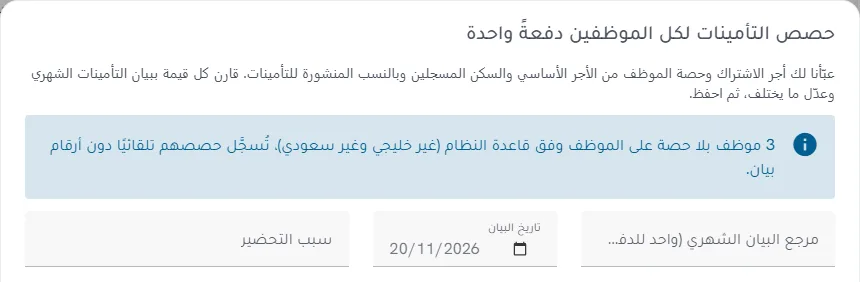
Each employee gets a payslip with attendance, earnings, deductions and net pay. Print it or save it as PDF.
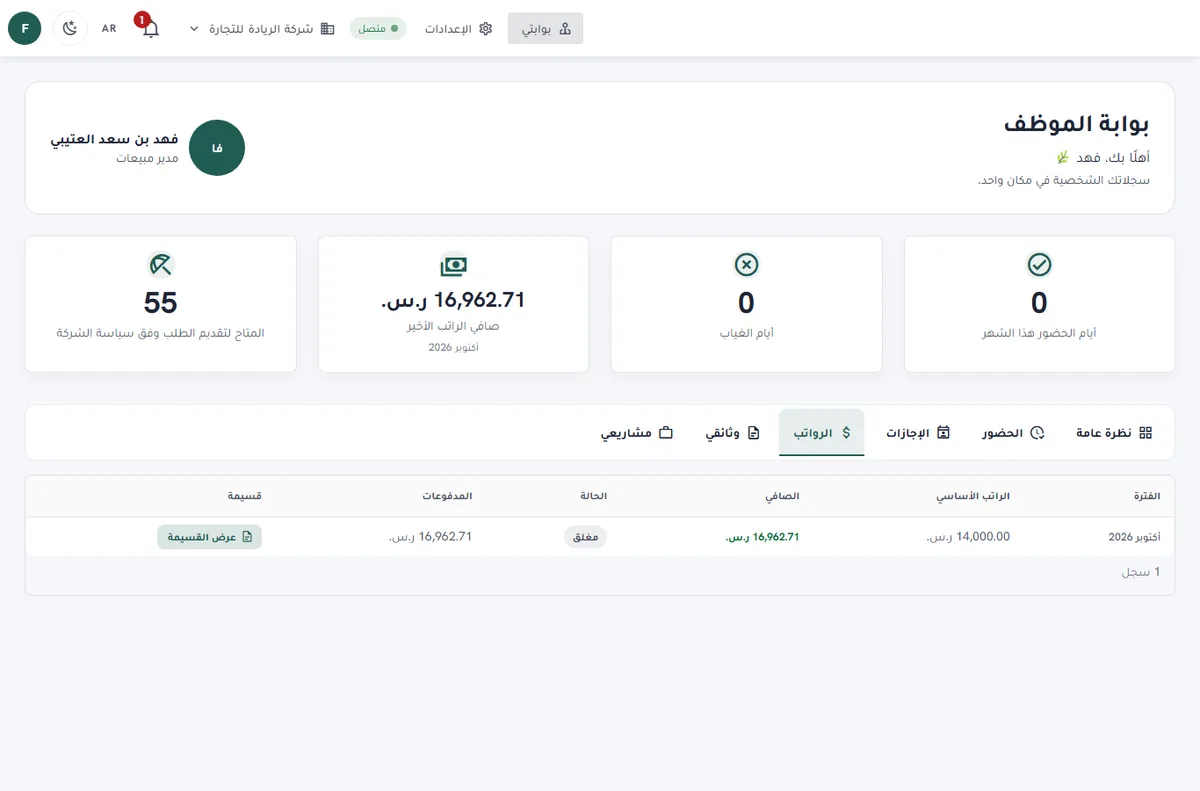
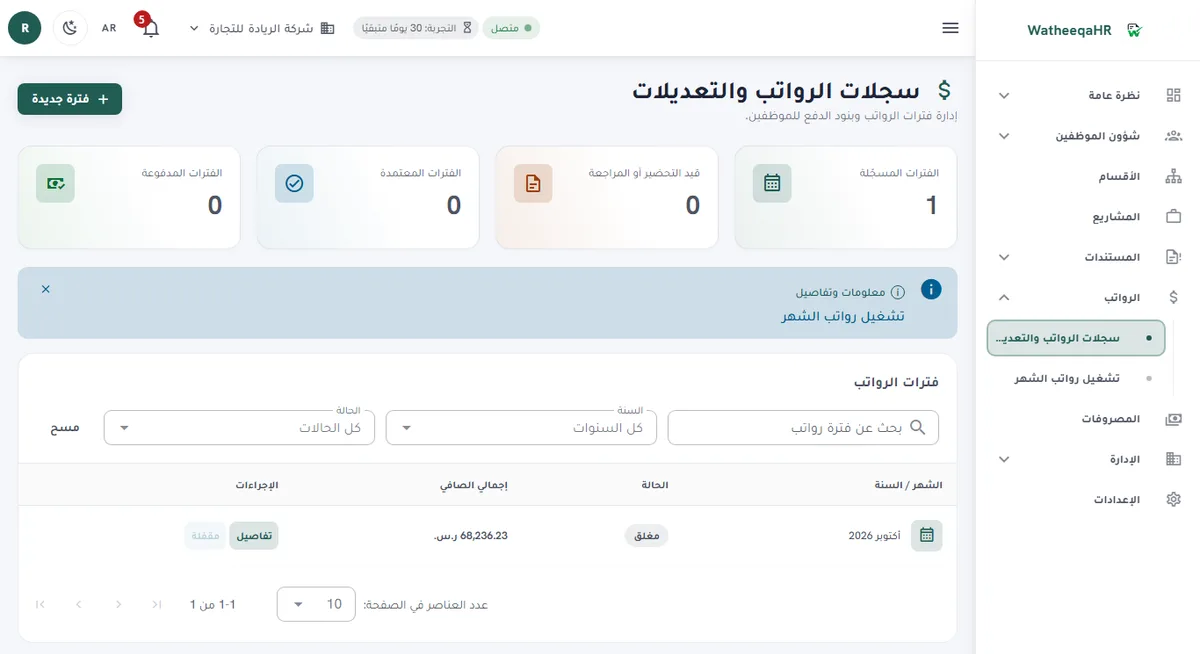
Record each employee's payment. The period then shows as paid, and the payment log appears on the payslip.
| Feature | Description |
|---|---|
| Free setup: we set up your account and run your first payroll month with you | We do the setup ourselves: we build the account from your files and go through your first payroll run with you until it is paid. The setup is free. Start the free trial here. |
| Best fit for a Saudi company | A system fits a Saudi company when it keeps SAR records, applies Saudi end-of-service and GOSI logic per company, and lets HR review every number before it becomes a payment. Test those three points with your own employee list. |
| Decision checklist: GOSI | Ask how the employee share is calculated, which base is used (basic plus housing), whether the Saudi or GCC national rate and the expatriate occupational-hazard rate are applied, and where the reviewer confirms the figure. |
| Decision checklist: end-of-service | Confirm the formula follows Labor Law Articles 84 to 87, that you can see the inputs, and that you can override a figure with a recorded reason. |
| Decision checklist: attendance | Test a real device export. Check missing punches, shifts that cross midnight and no-punch workdays before they reach the salary ledger. |
| Cost breakdown | Count the subscription (Basic is AED 99 per month for up to 25 employees and one company; Growth is AED 199 per month for up to 100 employees and three companies), plus setup, the accountant's review time and any bank-file work done outside the system. |
| Affordable: where the savings come from | Savings come from fewer manual sheets, fewer corrections of GOSI shares and a shorter salary review. Compare those hours with the fixed published price, after the 30-day trial. |
| Easy: what to test first | Set up one Saudi company, import one attendance report, approve one leave request and one salary period, then ask an employee to open a payslip. Your team should finish these steps from the screens. |
| Automated: what the system prepares | Attendance exceptions, leave balances, SAR salary lines, the GOSI estimate and the end-of-service estimate are prepared automatically from the reviewed inputs. The approval, the bank handoff and the official submissions stay with your company. |
| Saudi payroll records | Basic salary, allowances, overtime, deductions, advances and net salary are recorded in Saudi riyals. The overtime estimate uses the hourly wage plus 50% of the basic hourly wage, with a fixed ÷240 monthly divisor set by WatheeqaHR, so treat it as an estimate to review. |
| Arabic, English and self-service | The interface and employee portal work in Arabic and English. Employees see their attendance, leave requests and payslips, and roles limit what HR, accountants and viewers can see. |
| Modules on every plan | Projects, company expenses, air tickets, the HR assistant, employee files and device sync are available on the 30-day trial, Basic and Growth. Everything pauses when the trial or subscription ends, and your data is kept. |
Track attendance, leave and a SAR salary ledger in one place, and review the GOSI and end-of-service estimates before each payroll period.
Use the estimates as a starting point, then review them against the contract, the separation details and your company's overtime policy before paying.
Compare the prefilled shares with what is actually remitted to GOSI. Treat the figures as a cross-check, not as the filing itself.
Yes. You can run the free attendance analyzer on an Excel or CSV file without creating an account. Then you can start the 30-day trial and try the employee import, payroll lines and payment steps yourself.
There is no single answer that fits every company. Choose the system that keeps SAR records, reviews GOSI shares before payment, calculates end-of-service with the inputs visible and imports your own attendance export. Test those with a real employee list.
Look at the total monthly cost, not the subscription alone. WatheeqaHR publishes Basic at AED 99 per month for up to 25 employees and one company, and Growth at AED 199 per month for up to 100 employees and three companies, with a 30-day free trial.
Saudi and GCC national employees follow the Annuities branch rates on a basic-plus-housing base up to the SAR 45,000 monthly ceiling. Other expatriate employees get a flat 2% employer-only occupational-hazard contribution with no employee deduction. Confirm the rates and your category with GOSI before payment.
Yes, using Labor Law Articles 84 to 87, with Articles 84 and 85 taken from the official HRSD text. Review the employment contract and separation details before paying.
Yes. The free attendance analyzer at /tools/attendance-analyzer reads an Excel or CSV export without signup and shows lateness, missing punches and estimated absence.
It prepares the ANB-format file through a review workflow. Your company checks the file with its bank and submits it. Qatar, Kuwait, Bahrain and Oman have no bank-file export yet.
Yes. The 30-day free trial includes every module, so you can test the attendance import, the GOSI review, leave requests and payslips with your own records.
Figures on this page are calculated from the laws and published rates cited. Confirm current rules with the authority itself:
Upload an Excel or CSV export and review the result free — no signup required.
Analyze attendance free Create free account