Oman companies replacing monthly spreadsheets
Bring attendance, leave and salary records into one repeatable workflow, and keep the review steps visible each month.
Choosing HR and payroll software for an Oman company means a system that keeps salary records in Omani rials at three decimal places, resolves missing punches before they reach payroll, and shows the end-of-service calculation under the rules that apply to each employee's service. Check each system with your own device export and one salary period. WatheeqaHR supports Oman companies with a published price and a 30-day free trial, and it does not yet export an Oman bank file.
Choose Oman as the company country so salaries are recorded in Omani rials with three decimal places. Confirm the working days and public holidays before you import attendance.
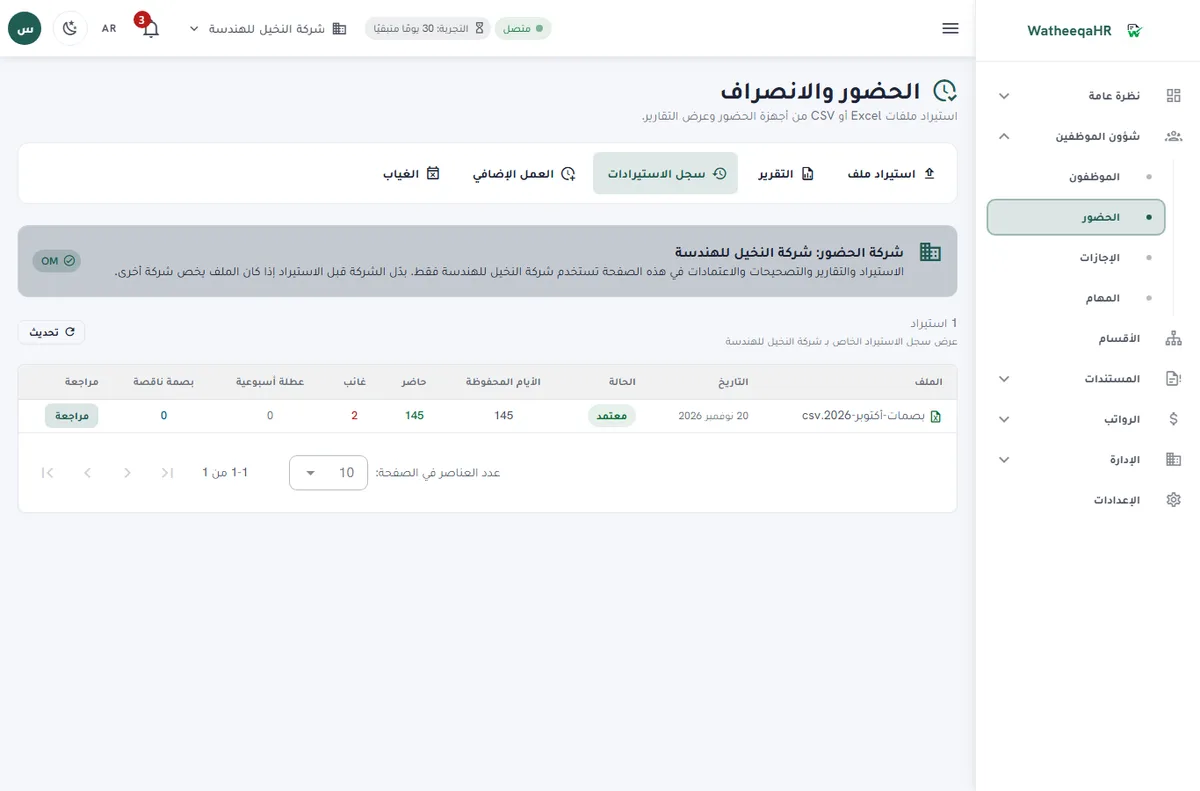
Upload the Excel or CSV export as the device creates it. Review employees, workdays, hours and punch exceptions, and keep the exception list separate from the salary lines.
Decide each no-punch workday using approved leave and the roster. Record the reason, so the salary decision can be explained to the employee and to an auditor.
Check the end-of-service figure against the contract, the service dates and the separation details. Export the reviewed ledger for your payroll provider or bank, since an Oman bank-file export is not available yet.
Upload the employee list as Excel or CSV, then check the column matching and warnings before you save.
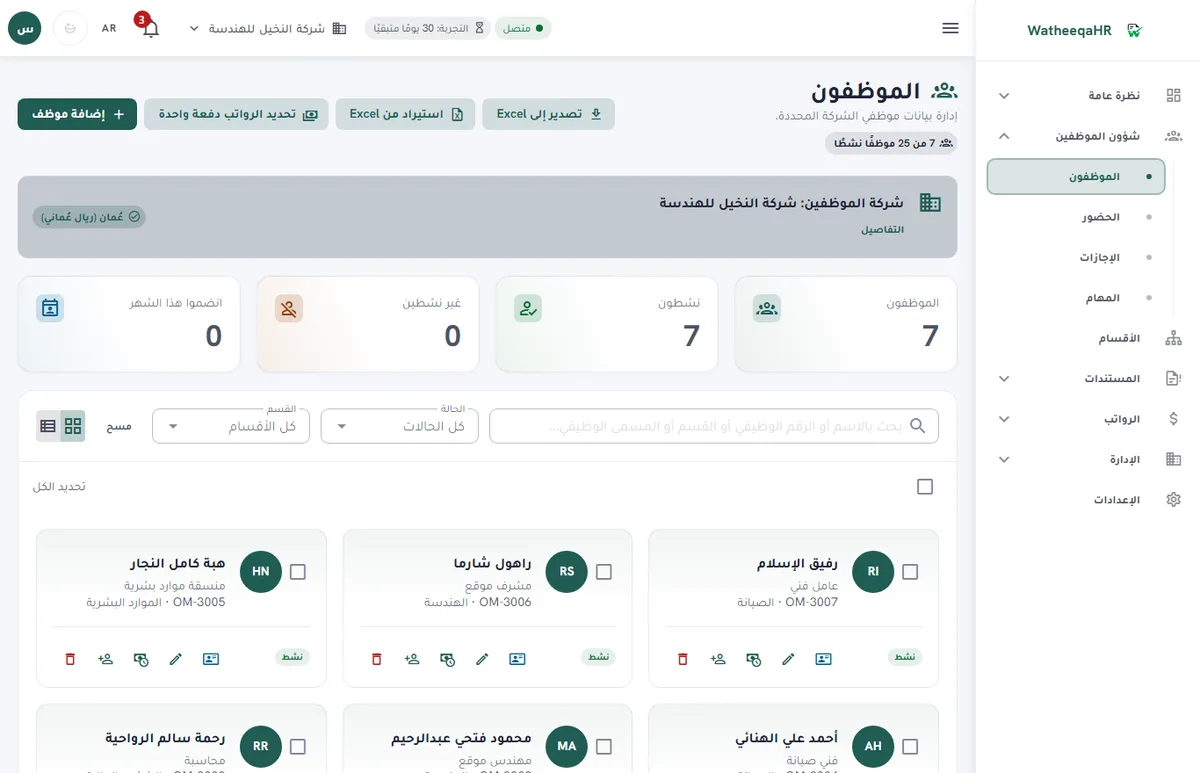
Check days present, late arrivals and absences for each employee, then approve the import before payroll lines are built.
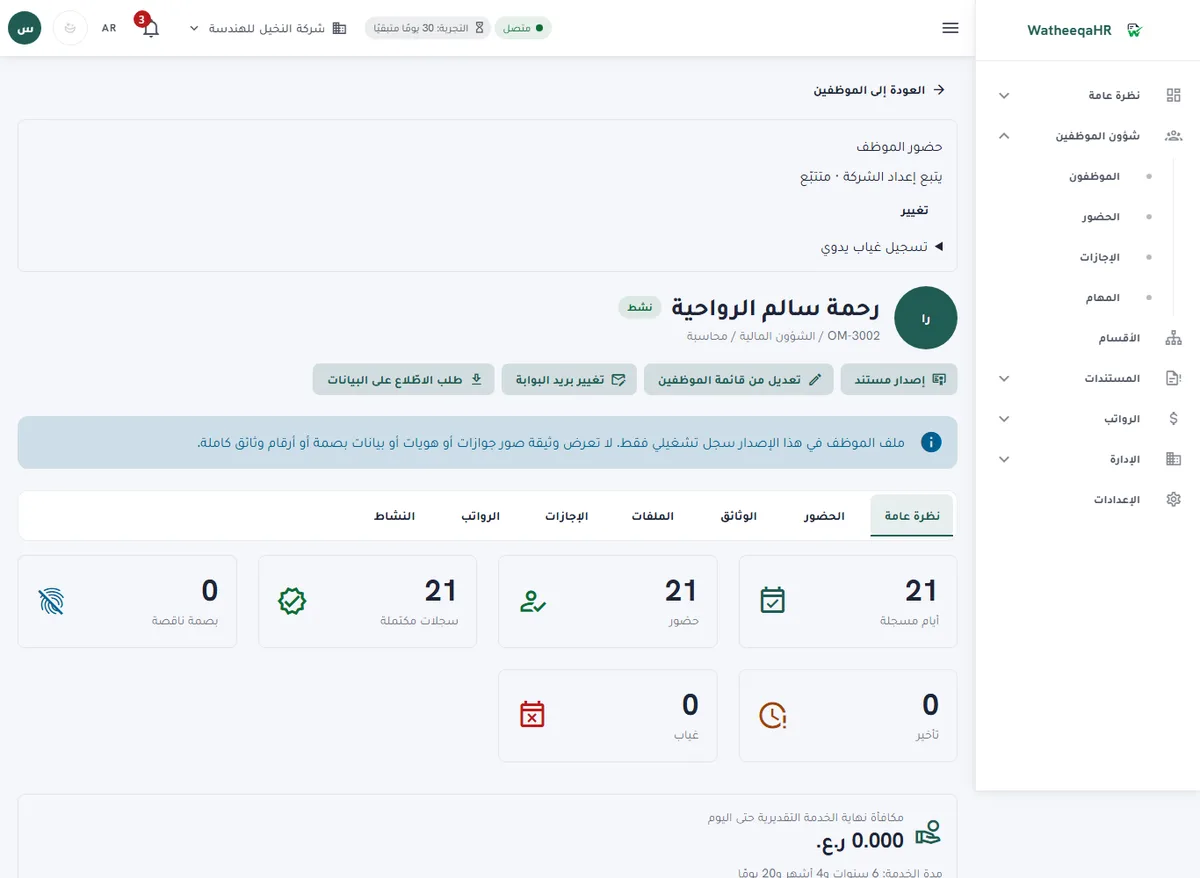
The system calculates basic pay, allowances, deductions and net pay for each employee. You can edit any line before approval.
Review the deduction and end-of-service rules for your country before approving, because they differ across GCC countries.
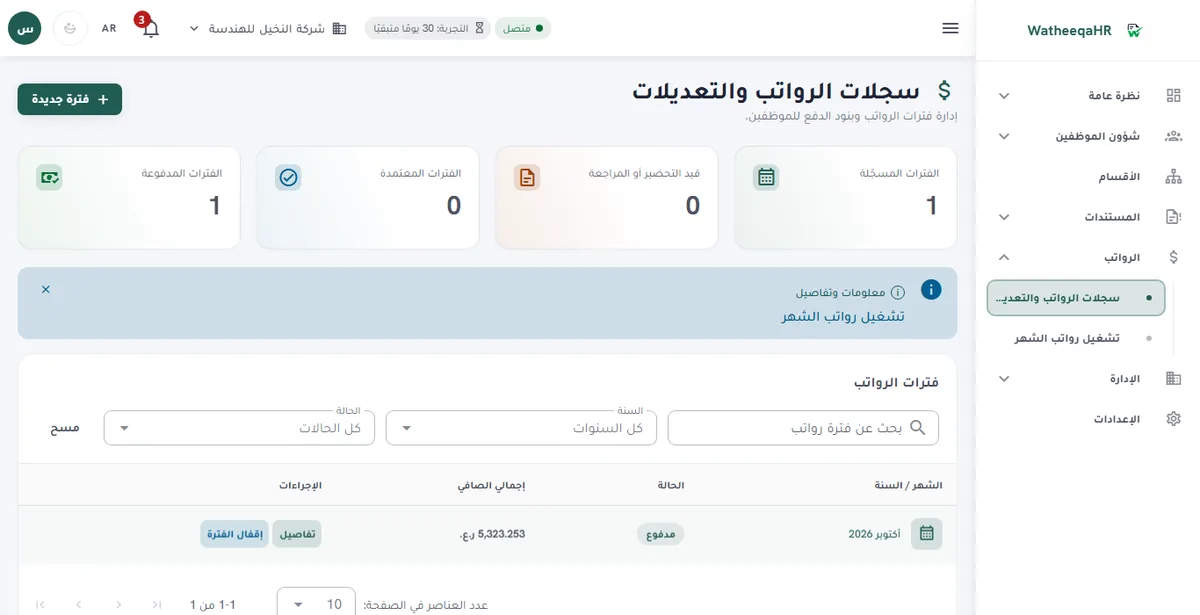
Each employee gets a payslip with attendance, earnings, deductions and net pay. Print it or save it as PDF.
Record each employee's payment. The period then shows as paid, and the payment log appears on the payslip.
| Feature | Description |
|---|---|
| Free setup: we set up your account and run your first payroll month with you | We do the setup ourselves: we build the account from your files and go through your first payroll run with you until it is paid. The setup is free. Start the free trial here. |
| Best fit for an Oman company | A system fits an Oman company when it keeps OMR salaries at three decimals, turns device exports into an exception list, separates attendance from pay decisions and shows the end-of-service inputs. Test these with your own employees. |
| Decision checklist: end-of-service scope | Ask how the system applies Royal Decree 53/2023, Article 61, which uses the last basic wage and splits old-law and new-law service at 31 July 2023. Confirm that a reviewer can see the split and change a figure with a recorded reason. |
| Decision checklist: attendance | Test a real export. Check missing punches, unusual shifts and no-punch workdays, and confirm that the system does not treat a missing punch as proof of absence. |
| Decision checklist: bank and authority | Ask what leaves the system. WatheeqaHR does not yet export an Oman bank file. Overtime and Social Protection Fund (SPF)-related figures are calculations for your review, never filings. |
| Cost breakdown | The subscription is AED 99 per month for Basic (up to 25 employees and one company) or AED 199 per month for Growth (up to 100 employees and three companies). Add setup time, review hours and the manual work of the bank or authority step. |
| Affordable: what to compare | Compare the fixed monthly price with the hours spent on spreadsheets, attendance matching and the end-of-service recalculations. The published price is the same for every company on a plan, so the comparison depends on your hours. |
| Easy: what to test first | Create an Oman company, add a few employees, import one device export, approve one leave request and one salary period, then ask an employee to open a payslip. Your team should complete each step from the screen labels. |
| Automated: what the system prepares | Exceptions, leave balances, OMR salary lines and the end-of-service calculation are prepared from reviewed inputs. Approval, final settlements and any submission remain with your company. |
| Device-export analysis | Upload a supported attendance export and review employees, workdays, hours and punch exceptions before any figure reaches the salary ledger. |
| OMR salary ledger | Keep salary inputs and payment evidence at the correct three-decimal Omani rial precision, with approval before payment. |
| Arabic, English and self-service | The interface and employee portal work in Arabic and English. Employees see their attendance, leave requests and payslips, and roles limit what HR, accountants and viewers can see. |
| Modules on every plan | Projects, company expenses, air tickets, the HR assistant, employee files and device sync are available on the 30-day trial, Basic and Growth. Everything pauses when the trial or subscription ends, and your data is kept. |
Bring attendance, leave and salary records into one repeatable workflow, and keep the review steps visible each month.
Use the existing exports rather than replacing working hardware. Learn what the company needs from the exception list before deciding on anything else.
Review a short exception list before approving monthly employee costs, instead of a long list of raw punches.
Yes. You can run the free attendance analyzer on an Excel or CSV file without creating an account. Then you can start the 30-day trial and try the employee import, payroll lines and payment steps yourself.
No single system fits every Oman company. Choose the one that keeps OMR salaries at three decimals, turns device exports into an exception list, shows the end-of-service inputs and fits your bank process. Test it with your own export.
The calculation follows Royal Decree 53/2023, Article 61, based on the last basic wage. Service before and after 31 July 2023 is split under the old and new rules. Review the result with the contract and separation details before paying.
No. Use the Excel or CSV export for your bank or payroll provider. Overtime and Social Protection Fund (SPF)-related figures are calculations for review, not filings.
Yes. The free attendance analyzer at /tools/attendance-analyzer reads an Excel or CSV export without an account and shows the exceptions.
Basic is AED 99 per month for up to 25 employees and one company. Growth is AED 199 per month for up to 100 employees and three companies. Prices are published and fixed, with a 30-day free trial.
Yes. Employees see their own attendance, leave requests and payslips in Arabic or English, and nothing belonging to other employees.
Yes. The 30-day free trial includes every module, so you can test the device import, a three-decimal OMR salary period and payslips with your own records.
Figures on this page are calculated from the laws and published rates cited. Confirm current rules with the authority itself:
Upload an Excel or CSV export and review the result free — no signup required.
Analyze attendance free Create free account